
Last updated November 2, 2026
 Wrought iron
 Wood & steel frame
 Farm & ranch
 Sliding driveway gates
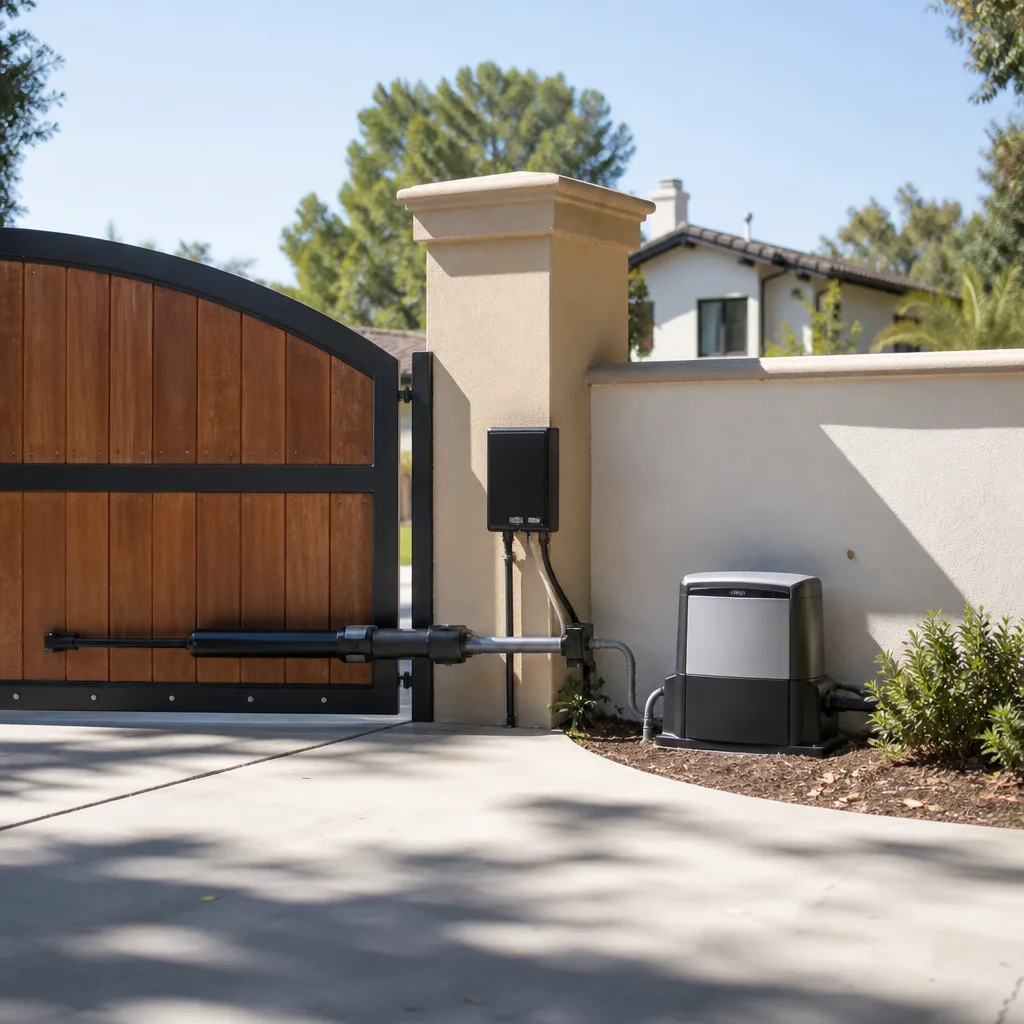 LiftMaster operators
Free on-site gate assessment - hinges, posts, and your LiftMaster or Nice gate operator checked before anything is quoted
The assessment is free and the quote is the invoice.
Get your free estimateGate Repair Troubleshooting: Common Problems and How to Fix Them
Here’s something most homeowners don’t realize: a huge share of “broken gate” calls in Almaden trace back to a misaligned photo eye, a tripped GFCI outlet, or a spider web draped across a sensor lens. These are thirty-second fixes, not service calls. Before you assume the worst about your gate operator or control board, you owe it to yourself to run through a diagnostic sequence that eliminates the simple explanations first. This guide walks you through that sequence exactly the way a working gate technician thinks about it: mechanical before electrical, power before logic, input before output. We’ll cover the symptoms that point to each layer of the system, what you can safely check yourself, and the three situations where you should stop and call a specialist.
Styles & brands we work with
- Wrought iron
- Wood & steel frame
- Farm & ranch
- Sliding driveway gates
- LiftMaster operators
Quick Answer
Most residential gate failures fall into one of five categories: obstruction or sensor misalignment, power interruption, limit switch drift, worn mechanical components, or control board faults. Start by checking for physical obstructions and photo eye alignment, verify power at the outlet and breaker, then inspect limit settings before blaming the operator motor. If your gate is a Viking, Ghost Controls, DoorKing, or Elite system, most common faults follow predictable patterns tied to specific components, and many can be resolved without replacing the operator.
Table of Contents
- The Diagnostic Sequence: Why Order Matters
- Power Supply Problems: The Most Common “Dead Gate” Cause
- Photo Eye Misalignment and Obstruction
- Limit Switch Problems: The Gate That Stops Short or Slams
- Worn Drive Mechanism vs. Failing Motor: Different Symptoms, Different Costs
- Control Board Errors: What Fault Codes Actually Mean
- Testing Your Gate Without a Remote: Manual Release and Override
- Common Mistakes to Avoid
- When to Call a Professional
- Frequently Asked Questions
- The Bottom Line
The Diagnostic Sequence: Why Order Matters
Every experienced gate technician follows the same hierarchy when a gate misbehaves: physical obstruction first, then power supply, then photo eyes, then limit settings, then the control board, and only then the operator motor. The reason is simple math. Obstructions, power issues, and sensor misalignment account for the overwhelming majority of gate failures in Almaden’s residential neighborhoods. The expensive components, control boards and motors, fail far less often than homeowners assume. Jumping straight to “the motor is dead” leads to unnecessary part replacements and repair bills that could have been avoided with a five-minute check.
Here’s the sequence in plain terms:
- Physical obstruction: Walk the full path of the gate. Look for rocks, branches, soil buildup, or a trash bin that drifted into the swing or slide path. In Almaden’s windy stretches, a fallen limb against the gate track is a frequent culprit.
- Power supply: Verify the operator has power. Check the outlet the operator plugs into, the GFCI, and the breaker. A tripped GFCI on an exterior outlet is one of the most common causes of a completely unresponsive gate.
- Photo eye alignment: Inspect both photo eye lenses. Clean them with a dry cloth. Check that the small indicator lights on each eye are both lit and steady, not flickering.
- Limit switch settings: If the gate opens but won’t close, or closes but bounces back open, the limit switches have likely drifted. This is a mechanical adjustment, not a logic problem.
- Control board: If all the above check out and the operator still misbehaves, the issue moves to the control board. Most boards display fault codes or LED patterns that point directly at the failed input or output.
- Operator motor: Motor failures happen, but they’re usually preceded by months of slow operation, grinding, or overheating. A motor that dies suddenly without warning is rare.
We work on all the major residential brands: LiftMaster, FAAC, BFT, Linear, Viking, Ghost Controls, DoorKing, Elite, and Mighty Mule. The diagnostic sequence doesn’t change from brand to brand, but the specific fault codes and component layouts do. Knowing the exact model on your property is what lets a specialist move from “likely cause” to “confirmed cause” in minutes rather than hours. If you’re in Almaden and your gate isn’t responding at all, our Gate Repair in Almaden page explains how we approach diagnosis on a first visit.
Power Supply Problems: The Most Common “Dead Gate” Cause
When a homeowner calls us about a gate that won’t respond to the remote or keypad, the first question we ask is whether anything else on that circuit is working. A startling percentage of “dead operator” calls in Almaden are actually dead outlets. Gate operators plug into standard 120V outlets, often exterior-rated with weatherproof covers. Those outlets are protected by GFCI breakers, and GFCIs are designed to trip. A single rain event, a small ground fault in a corroded plug, or even a nearby power tool on the same circuit can trip the GFCI and kill power to the gate.
Before you assume the operator died:
- Check the breaker panel. Look for a tripped breaker on the circuit labeled for the gate, exterior outlets, or garage. Reset it once. If it trips again immediately, do not reset it repeatedly. You have a short, and that’s a job for a licensed electrician or a gate specialist who handles wiring safely.
- Check the GFCI outlet. Most gate operators in Almaden plug into a GFCI outlet somewhere near the gate, often on the house wall or a pedestal nearby. Press the “test” button, then the “reset” button. If the outlet won’t reset, unplug the operator and try again. If it resets without the operator plugged in, the operator or its power cord is the fault.
- Check for a power switch on the operator itself. Many Viking, DoorKing, and Elite operators have a manual power switch or circuit breaker mounted on the unit. Confirm it’s in the “on” position.
- Look for a low-voltage transformer issue. Some operators run on 24V DC supplied by a transformer inside the control box. A dead transformer means the operator gets no power even if the outlet is live. A technician tests this with a multimeter in under a minute.
Almaden’s dry summers and occasional heavy winter rain create specific failure patterns. We regularly see power cords with UV-damaged insulation that crack and allow moisture in during the first real storm of the season. That moisture leads to ground faults and tripped GFCIs. If your gate starts tripping the outlet only when it rains, the power cord or a spliced wire somewhere along the run is the likely culprit. Our Electric Gate Repair in Almaden service covers power supply diagnostics, wiring inspection, and transformer replacement.
Photo Eye Misalignment and Obstruction
A spider web across a photo eye beam is, without exaggeration, one of the most common reasons a gate in Almaden refuses to close. Photo eyes, also called safety sensors or photo beams, are the small paired devices mounted near the gate on each side of the opening. One eye transmits an invisible infrared beam to the other. If that beam is interrupted, blocked, or misaligned, the operator interprets it as an object in the gate’s path and refuses to close. The operator is doing exactly what it’s supposed to do. The problem is almost never the eyes themselves.
Here’s how to troubleshoot photo eyes in under five minutes:
- Locate both photo eyes. They’re typically mounted on posts or the gate frame, a few inches off the ground, aligned with each other across the gate opening.
- Clean both lenses. Use a dry microfiber cloth. Spider webs, dust, pollen, and water spots on the lens can scatter the beam enough to drop the signal. In Almaden’s dry months, dust buildup on exposed lenses is a consistent issue.
- Check the alignment. Most photo eyes have a small indicator light. If both eyes show a steady light, they’re aligned and communicating. If one light is flickering, off, or blinking, the eyes have drifted out of alignment. Gently adjust the mounting bracket until both lights are steady.
- Look for objects in the beam path. Leaves, decorative rocks, potted plants, or a hose left in the gate path will block the beam. Move anything that intersects the line between the two eyes.
- Check the wiring at the eyes. On Viking and Elite swing gate systems, photo eye wires can get pinched in the hinge area or chewed by rodents. Damaged insulation causes intermittent signals that look exactly like misalignment.
One nuance worth knowing: photo eye problems prevent the gate from closing but typically don’t stop it from opening. If your gate opens fine but won’t close or closes partway and reverses, suspect the photo eyes before anything else. If your gate won’t open either, you’re likely looking at a power, limit switch, or control board issue instead.
Limit Switch Problems: The Gate That Stops Short or Slams
Limit switches tell the operator where the gate’s open and closed positions are. When they’re set correctly, the gate stops precisely at each end of its travel and doesn’t strain against its stops. When they drift or fail, you get a gate that stops six inches short of fully closed, slams against the post, or reverses partway through its cycle. Limit switch issues are mechanical at heart, even on modern operators that use magnetic or optical limit sensing rather than physical switch levers.
Symptoms that point to limit switch problems:
- The gate doesn’t close all the way, leaving a gap at the latch
- The gate closes, hits the post hard, and bounces back open
- The gate opens, then immediately reverses as if it hit an obstacle
- The operator runs for a second or two longer than it should after the gate stops
- The gate stops at random positions instead of a consistent open or closed point
On Ghost Controls and Mighty Mule systems, limit settings are often adjusted via a dial, a set of DIP switches, or a remote-control programming sequence. On DoorKing and Elite operators, limits are typically set with physical cams or magnetic limit switches inside the control box. The adjustment procedure varies by brand, which is one reason a brand-familiar technician can resolve a limit issue in minutes while a generalist flips through a manual.
In Almaden, we see limit switch drift most often on gates that have been in service for several years and get used heavily. Each open-close cycle creates microscopic wear on the limit mechanism. Over thousands of cycles, the drift becomes measurable. A gate that used to close flush now leaves a two-inch gap. That gap isn’t just a cosmetic annoyance. It’s a security weakness and a strain on the latch hardware. Adjusting limits is a straightforward repair when done by someone who knows the specific operator model. If your gate’s travel is inconsistent, our Gate Repair in Almaden team can recalibrate the limits and verify the gate stops exactly where it should.
Worn Drive Mechanism vs. Failing Motor: Different Symptoms, Different Costs
One of the most expensive mistakes a homeowner can make is replacing an operator motor when the actual problem is a worn drive mechanism. These are different components with different symptoms and very different price tags. Learning to tell them apart can save you hundreds of dollars.
A worn drive mechanism typically shows up as:
- Grinding, screeching, or clicking noises when the gate moves
- The gate moves slower than it used to, especially in cold weather
- The gate binds or jerks at a specific point in its travel
- Visible wear on chains, belts, gears, or rack teeth
- The gate moves a few inches and stops, but the motor is still running
A failing motor typically shows up as:
- A humming sound but no movement at all
- The motor overheats and shuts off mid-cycle, then works again after cooling down
- An electrical burning smell near the operator
- The motor runs but sounds labored even when the gate is disconnected from the drive mechanism
- The operator trips its internal breaker repeatedly
The key diagnostic test is disconnecting the gate from the operator. If the motor runs smoothly with no load, the problem is mechanical in the drive train or the gate itself. If the motor still struggles or hums with no load, the motor or its capacitor is failing. On Viking and DoorKing slide gate systems in Almaden, we frequently find that a grinding noise traces to a worn drive sprocket or a loose chain, not the motor. The motor is fine. The fix is a $40 sprocket and an hour of labor, not a $900 operator replacement. This is exactly the kind of distinction that a gate specialist, someone who handles these systems daily, catches in the first ten minutes of a service call.
Control Board Errors: What Fault Codes Actually Mean
Modern gate operators run on control boards that constantly monitor their own inputs and outputs. When the board detects a problem, it usually tells you, either through a small digital display or a sequence of LED flashes. Understanding these codes in plain terms helps you know whether you’re dealing with a simple sensor issue or a genuine board failure.
Here’s what common fault codes mean on three popular residential brands found throughout Almaden:
- LiftMaster LA400 / LA500: A blinking red diagnostic LED paired with specific flash counts. Two flashes indicate a photo eye obstruction or misalignment. Four flashes indicate a limit switch fault. Five flashes points to a motor or wiring problem. The board is rarely the failed component; the code almost always points at a sensor, switch, or wiring fault.
- Elite / DoorKing swing operators: These boards often display numeric or letter codes. A “LOW BATT” or battery warning means the backup battery has failed and should be replaced. A “SHADOW” or “PHOTO” error means the photo eye circuit is open or obstructed. An “OVERLOAD” or “AMP” fault means the motor is drawing too much current, which usually indicates a mechanical bind rather than a bad motor.
- Ghost Controls: These systems use a sequence of beeps and LED flashes after a fault. Three beeps indicates the gate hit an obstruction. Five beeps typically indicates a limit setting problem or a battery issue. The Ghost Controls installation manual includes a complete beep-code table, but most calls we get about Ghost Controls gates in Almaden involve either photo eye alignment or limit drift, not board failures.
The important pattern here: a fault code is a clue, not a diagnosis. A “photo eye” code can mean a dirty lens, a broken wire, a failed sensor, or a genuinely bad board input. A specialist follows the code to the specific failed component instead of replacing the board as a guess. Replacing a $300 control board to fix a $15 photo eye is the kind of repair we prevent every week.
Testing Your Gate Without a Remote: Manual Release and Override
When your gate stops responding to the remote, keypad, or intercom, the first question is whether the operator itself still works. The manual release lets you answer that question without a remote at all. Every automated gate operator includes a manual release mechanism, typically a keyed lock, a pull handle, or a release lever that disconnects the gate from the drive mechanism so you can push it open by hand.
Here’s how to safely test your gate using the manual release:
- Locate the manual release. On most residential operators, it’s a small keyed cylinder or a pull handle on the operator housing or the gate frame. On Ghost Controls and Mighty Mule systems, it’s often a pin or lever near the motor.
- Disconnect the operator. Turn the key or pull the handle to disengage the drive. You should feel the gate release from the motor. The gate will now move freely by hand.
- Push the gate through its full travel. It should move smoothly with no binding, excessive resistance, or grinding. If the gate binds or drags, you’ve found a mechanical problem with the gate hardware or track, not the operator.
- Re-engage the operator. Return the release mechanism to its normal position. On most systems, cycling the operator once or twice re-locks the drive engagement automatically.
Safety note: Manual release disconnects the operator, but it doesn’t disable the gate’s weight. A heavy iron gate in Almaden can weigh several hundred pounds. If the gate is off its track, leaning, or has a broken hinge, do not attempt to push it manually. A gate that starts to fall cannot be caught. If your gate shows any sign of structural instability, like sagging on its hinges or visible post movement, call a specialist rather than trying to muscle it into position. We handle both mechanical and automated problems under one roof, so a single visit can resolve a hinge issue and a programming fault in the same appointment.
Common Mistakes to Avoid
- Skipping the power check. Homeowners in Almaden spend hours blaming remotes and motors when the real problem is a tripped GFCI. Check power at the outlet before anything else. It takes two minutes.
- Replacing the remote batteries before checking the operator. If the gate doesn’t respond to either the remote or the keypad, the problem isn’t the remote. Two independent inputs failing simultaneously points to the operator or its power supply.
- Lubricating the gate hinges with WD-40. WD-40 is a solvent, not a lubricant. It strips existing grease and leaves metal parts drier than before. Use a proper lithium-based grease on hinges and a silicone spray on rollers.
- Repeatedly resetting a tripping breaker. If the breaker trips once, reset it. If it trips again, stop. Repeated resets can damage the operator, the wiring, and the breaker itself. You have a short that needs proper diagnosis.
- Adjusting limit switches without understanding the operator. Limit settings vary significantly between LiftMaster, Viking, Ghost Controls, and DoorKing models. Guessing at limit adjustments can cause the gate to slam or to stop completely, creating a bigger problem than the one you started with.
- Ignoring gradual changes. A gate that’s gotten progressively slower over six months is talking to you. Slowness usually means wear, binding, or a failing capacitor. Addressing it early prevents a full failure later.
- Attempting control board repairs without documentation. Control boards are static-sensitive and wiring-specific. A miswired board can destroy itself and the transformer. If a fault code points to the board itself, this is the point to call a specialist.
When to Call a Professional
Three situations always warrant a professional call, and none of them are negotiable if you value your safety and your gate’s lifespan. First, control board errors that persist after checking sensors and power. Board diagnosis requires multimeter testing and brand-specific documentation. Second, any wiring issue involving the access system, intercom, keypad, or transformer. Low-voltage wiring mistakes can fry expensive components. Third, any movement in the gate posts or foundation. A gate post that shifts in Almaden’s clay-heavy soils changes the entire geometry of the gate. That’s a structural issue, not a parts swap, and it requires a technician who understands gate mechanics, not just electronics. Gate Repair Almaden offers free estimates in Almaden. Call (833) 620-6313 and describe your symptoms; we’ll tell you what’s likely wrong and what it will take to fix it.
Frequently Asked Questions
Gate repair pricing in Almaden typically ranges from $150 to $175 for minor fixes like photo eye realignment or limit switch adjustment, $250 to $400 for mechanical repairs like hinge or wheel replacement, and $350 to $800 for control board or motor work depending on the brand and model. A swing gate hinge replacement on a Viking system usually lands in the $250 to $350 range, while a DoorKing control board replacement can run $500 or more. Call (833) 620-6313 for an exact quote on your specific gate and symptoms. Estimates are free, and pricing is confirmed before any work begins.
We prioritize emergency gate repairs in Almaden, and in many cases we can dispatch same-day for a gate stuck open, stuck closed, or unable to secure your property. Call (833) 620-6313 as early as possible and describe what your gate is doing. The sooner we hear from you, the better the chance we can fit you into the same day’s schedule.
Check the photo eyes first. Clean both lenses, verify the indicator lights are steady, and remove anything blocking the beam path. If the photo eyes are clear, check the limit switch settings next. A gate that opens but won’t close is most often a safety sensor issue, not a motor or board problem.
We’re factory-familiar with nine major gate brands: LiftMaster, FAAC, BFT, Linear, Viking, Ghost Controls, DoorKing, Elite, and Mighty Mule. We diagnose and source parts for the exact system on your property. If your gate runs a brand outside that list, call us anyway. Our gate-only specialization means we can typically identify and service most residential and light commercial operators regardless of brand.
That depends on the operator’s age, the condition of the gate itself, and what failed. A $350 control board replacement on a five-year-old LiftMaster makes sense. A $900 motor replacement on a 15-year-old operator with a rusting gate and worn hinges may not. We help Almaden homeowners weigh repair against replacement honestly. Our Gate Installation in Almaden service means we can handle the replacement if that’s the right call, with no need to hire a separate contractor.
That reversing behavior is usually the limit switch telling the operator the gate has hit an obstruction. On a gate that reverses exactly when it touches the ground or the post, the limit set point for the closed position is too far. The operator thinks it hit something before reaching its proper limit. The fix is a limit adjustment specific to your operator brand. If the gate reverses partway through closing, check the photo eyes first. If it reverses only at the end of travel, the limits are the issue.
Yes, every automated gate has a manual release that disconnects the operator from the gate so you can push it by hand. Use it only if the gate moves freely on its hinges or track. If the gate binds, drags, or feels unstable, don’t force it. A heavy gate that starts to fall is dangerous. Call a professional instead.
The Bottom Line
Gate troubleshooting is a sequence, not a guessing game. Rule out obstructions and photo eye misalignment before you touch anything electrical. Verify power at the outlet and breaker before you blame the operator. Check limit settings before you suspect the motor. And when you hit a control board fault, a wiring problem, or a structural issue, stop and call a specialist. In Almaden, where gates face dry summers, rainy winters, and daily use, a systematic approach catches the $40 problems before they become $900 replacements. Gate Repair Almaden handles repair, electric repair, and installation under one roof. Call (833) 620-6313 for a free estimate, and we’ll walk through your symptoms with you before anyone schedules a visit. You can also start at our Gate Repair Almaden home page for a full overview of what we do.
Written by the team at Gate Repair Almaden, serving Almaden since 2018.
See the difference
 Before
 After
 Before
 After
 Before
 After